|
| |
MSDN 2540: Developing Embedded Solutions for Microsoft
Windows CE
.NET
This course is a follow-up (and companion) course
to "Introduction to Windows CE .NET" (Course #2530). Upon completion of this
hands-on course, students will be able to customize and deploy a Windows CE
image to emulation and a hardware reference board. Students will also gain
in-depth knowledge of the Windows CE build system, debugging techniques, kernel
features, device driver models, and supported technologies, including networking
and communications, building and modifying "Feature Files", creating a custom
shell, and working with application development tools.
Each student is provided with
a printed hardcopy binder containing the full course material for this Microsoft
Official Curriculum course, and is also given access to a workstation and
embedded target device for the hands-on labs.
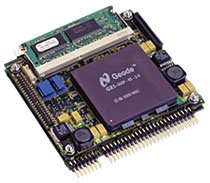
We use the TP400
LaunchPad from DSP Design as the embedded target device for all of our
hands-on labs.
- Module 1: Advanced Building of a
Windows CE Image
- Overview
- Directory Structure of
Platform Builder
- The Build Process
- Building in the
Integrated Development Environment
- Modifying Configuration
Files
- Creating a Component
- Modifying CEC Files
with the CEC Editor
- Adding a BSP
- Export Wizard
- Lab 1: Advanced Image
Customization and Build
- Review
- Module 2: Advanced Debugging
- Overview
- Using Breakpoints
- The Real World:
Debugging Process
- Using Remote Tools
- IDE Debug Commands
- What are Debug Zones?
- Other Debugging
Techniques
- eXDI
- Lab 2: Exploring
Debugging Features
- Review
- Module 3: Kernel Features
- Overview
- Definition of Real Time
- Windows CE Kernel
Features
- Handling Processes,
Threads, and Fibers
- Protecting Applications
- Synchronization Objects
- Memory Model
- Structured Exception
Handling
- Optimizing a Windows CE
Device
- Lab 3: Kernel Tracking
Thread Priorities
- Review
- Module 4:
Understanding Device Drivers
- Overview
- Windows CE Architecture
- Driver Source
- Driver Resource
Management
- Resource Manager
- Device Driver Interrupt
Handling and the IST Model
- Device Driver Memory
Management
- New DMA Routines
- Driver Loading
Mechanism
- Service Manager (Service.Exe)
- Device Notification
Mechanism for Applications
- Device Power Management
- Common Driver
Architectures
- Native Device Drivers
- Stream Interface
Drivers
- USB
- NDIS
- FSD
- Emulation Support
- Lab 4: Implementing a
Stream Interface Driver
- Review
- Module 5: Networking and
Communications
- Overview
- Web Technologies
- Lab 5.1: Enabling a Web
Server
- Networking Options
- Lab 5.2: Implementing
Microsoft Message Queuing
- Component Services
- Networking Security
- Real-Time
Communications
- Multimedia
Communications
- Review
- Module 6:
Implementing a Shell
- Overview
- What Is a Shell?
- Shell Options
- Components of a Custom
Shell
- Required Shell
Functionality
- Installing a Custom
Shell
- Handling Device UI
Rotations
- Customizing the UI
- Lab 6.1: Implementing
and Handling Screen Rotation
- Lab 6.2: Windows CE
Skin Implementation
- Review
- Module 7: Preparing
an Application Development Environment
- Overview
- Windows CE .NET
Application Development
- Native Application
Development
- Win32 Programming
Primer
- Lab 7A: Exploring
Embedded Visual C++ 4.0
- Managed Application
Development
- Building, Deploying,
and Launching the Application
- Overview of the .NET
Compact Framework
- Adding .NET Support to
a Windows CE Device
- Lab 7B: Exploring
Visual Studio .NET
- Review
Contact us for more
information on schedule dates and locations, or to arrange an on-site seminar
for your developers:
training@pstech.com
back
|
